Deskie vs Maoxiang

Maoxiang scrolls through mobile voice-drama feeds over static character cards. Deskie brings animated Live2D, 3D, and VRM characters to your desktop with emotional and free local voices, screen vision, switchable AI models, and full-stage visual novels.

Compare
Maoxiang
Character visuals
Animated Live2D, 3D & VRM models
Static 2D card backdrop in a feed
Desktop companion
On your desktop; sees your screen
Mobile feed & web chat only
Voices
Emotion++ voices & free local pack
Cloud TTS & voice cloning only
Content & AI
Characters, pets, stories & any LLM
Single platform LLM, chat scripts

Step out of the mobile feed into living models & visual novels

Don’t just swipe past static 2D backdrops on your phone. Chat with animated Live2D, 3D, and VRM characters that react to every line, keep them right on your computer desktop, or stage multi-character visual novels with adaptive scenes and music.
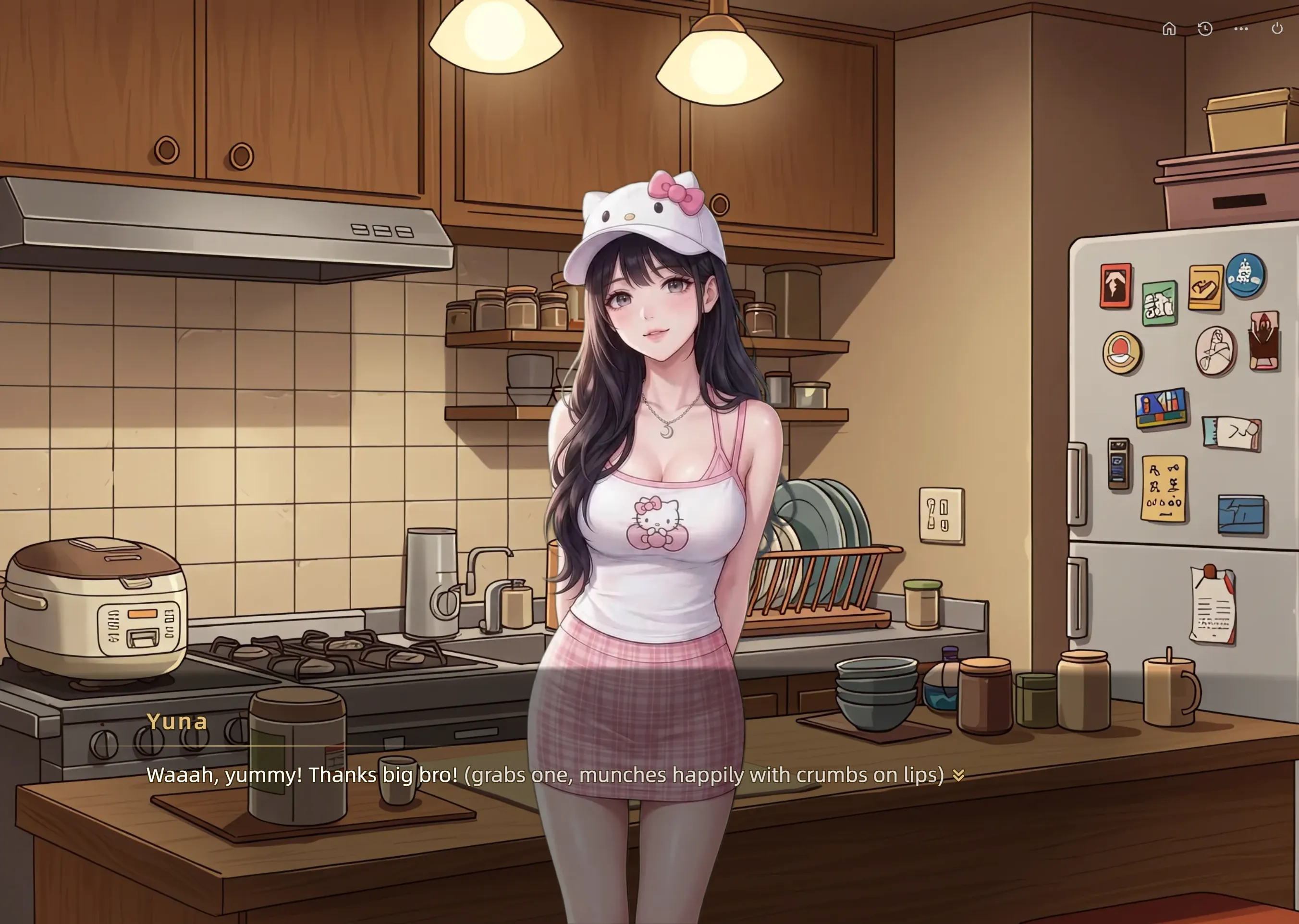
A voiced visual novel story scene with animated characters in Deskie

Why do players and creators move from Maoxiang to Deskie?

Maoxiang makes it easy to swipe through voiced character intros on a phone, but conversations take place over a static background image, run on a single locked-in language model, and disappear once you switch back to your computer workflow. Deskie transforms AI characters into living companions and full visual novels: you can explore thousands of shared creations or build your own characters, animated desktop pets, and visual novel stories, upload custom Live2D/3D/VRM models, switch freely between Doubao, DeepSeek, OpenAI, Gemini, and Grok, and place your companion right on your desktop with screen vision and a free-forever Local Voice Pack.

Deskie vs Maoxiang: the comparison table

Maoxiang
Visual models & animations
Supports Live2D, 3D, VRM, and illustration models whose expressions, body motions, eye tracking, and lip-sync adapt dynamically to your chat. Use built-in models or upload your own from your computer.
Displays a static 2D character illustration or card cover behind scrolling chat bubbles, with no support for importing rigged Live2D, 3D, or VRM models.
True desktop companion mode
Sits directly on your Windows or macOS desktop above other windows with eye tracking, click-through lock, global push-to-talk shortcuts (Alt+X / Option+X), and proactive check-ins.
Designed around a mobile vertical feed (plus web chat), with no native desktop overlay, click-through companion, or global voice hotkeys.
Screen vision, web search & utilities
Understands your live context—can see your computer screen when asked, search the web in real time, check weather and time, set reminders, and launch desktop apps.
Focused on in-app roleplay scripts with no screen vision, live web search tools, or desktop utility integration.
Emotional voices & custom cloning
Hundreds of rich built-in voices across 6 languages with selectable Emotion, Emotion+, and Emotion++ intensity, plus instant custom voice cloning from a short recording.
Strong built-in voice acting and custom voice cloning in the cloud, without multi-tier Emotion/Emotion++ controls or local offline synthesis.
Free-forever Local Voice Pack
Optional Local Voice Pack DLC on PC runs character speech synthesis on your own hardware so local character voices remain 100% free forever.
All voice playback is streamed from the cloud and requires an active internet connection.
AI model & writing style freedom
Switch the underlying AI model at any time (Doubao, DeepSeek, OpenAI, Gemini, Grok), pick from 5 narrative writing styles, and rewind or branch chats with Time Machine.
Runs solely on its proprietary platform model with no user option to switch to DeepSeek, OpenAI, Gemini, or Grok.
Multi-character visual novel stories
Put a cast of animated characters onto a stage with smart progression, steer the plot with suggested choices or free-form typed actions, and track trust/affinity toward multiple endings.
Offers interactive theater prompts and 1-on-1 plot hooks inside a vertical chat scroll rather than a multi-actor visual novel stage.
Adaptive scenes & background music
Story scenes and background music (BGM) shift automatically as the plot progresses; creators can use built-in libraries or upload custom backgrounds, BGM, and opening videos.
Uses a static character background image and intro audio clip without chapter-adaptive visual novel stage direction.
Animated desktop pets
Browse hundreds of shared desktop pets or generate a complete animated motion set (idle, walk, sit) with desktop physics from a single prompt or image.
Limited to chat characters and theater cards, with no desktop pet creation or adoption.
Creator studio & cross-platform ecosystem
Create with the AI Creative Buddy and share across Windows, macOS, Web, Android, and Steam Workshop—supporting custom 2D/Live2D/3D/VRM assets.
Mobile-first creator tools focused on quick character prompts, 2D avatars, and voice settings.

Living Live2D, 3D & VRM models on your desktop vs static mobile feed cards

In Maoxiang, discovering characters feels like swiping through a short-video feed: you hear an opening voice line over a static 2D picture and type inside a vertical chat stream. The image behind the text never reacts to your words, and the moment you put your phone down to work or game on your PC, the companion is gone.

Deskie brings characters out of a static card and right onto your screen. Every character supports Live2D, 3D, VRM, and custom image models with facial expressions, body animations, eye tracking, and lip-sync that adapt automatically to the emotion of your chat. You can pick from built-in models, explore thousands of community creations, or upload your own .model3.json, .vrm, .gltf, .glb, or artwork from your computer. In Desktop Companion Mode, your character sits right on your Windows or macOS desktop above your windows—where it knows you, can see your screen when asked, searches the live web, sets reminders, and talks whenever you press the global voice shortcut (Alt+X / Option+X).
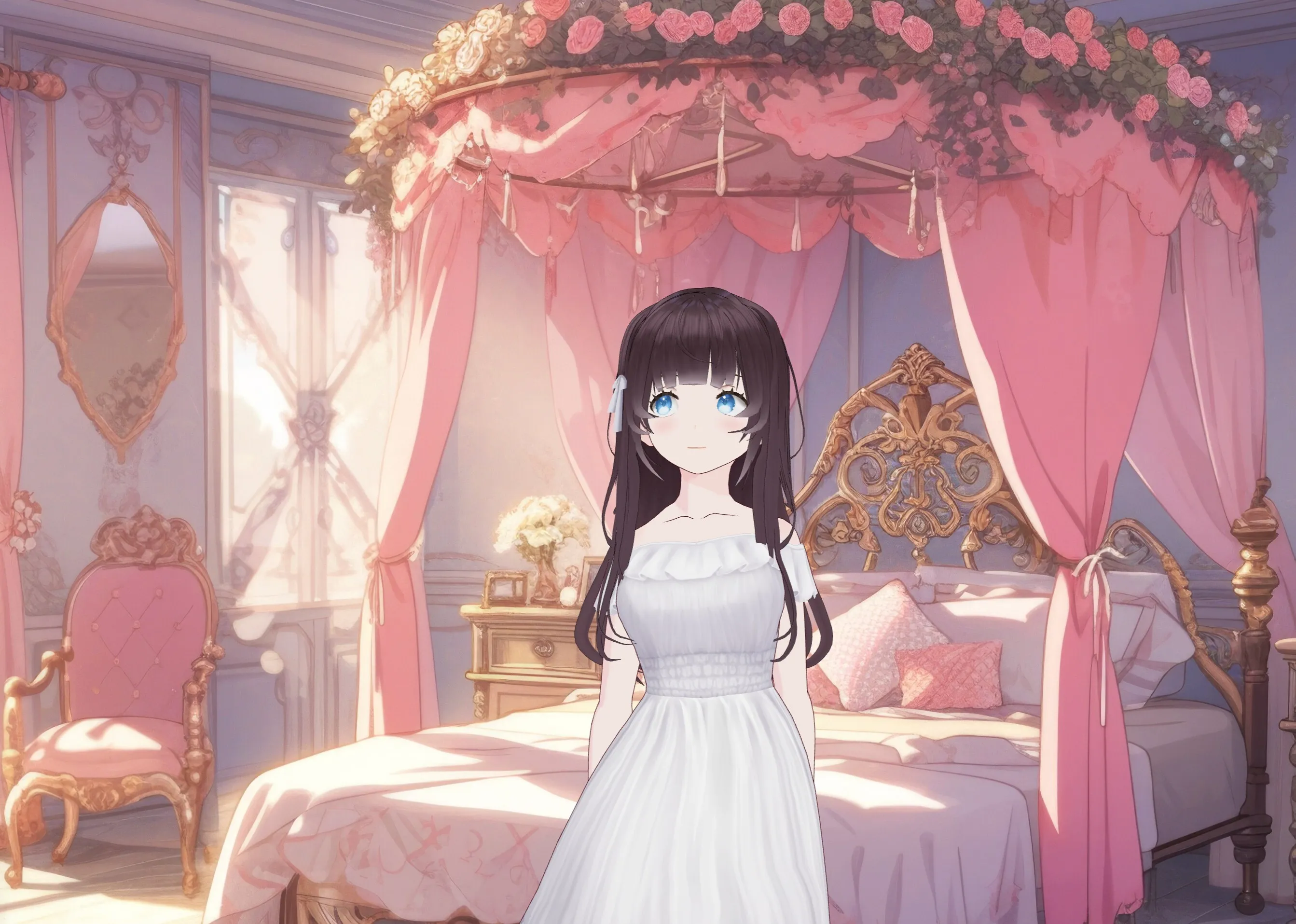
A VRM companion sitting right on the desktop in Deskie

Full-stage visual novels, free local voices & switchable AI models

Maoxiang is well known for its expressive Chinese voice synthesis, but it keeps you locked into a single platform language model and a mobile chat-scroll format. When a scene calls for multiple animated characters on stage, a different literary prose style, or a deeper reasoning model, a simple chat feed falls short.

Deskie gives you a complete creative and storytelling studio:

  • Interactive Visual Novel Stories & Desktop Pets: Go beyond 1-on-1 chat. Put a cast of characters onto a visual-novel stage with smart progression, guide the plot with suggested choices or your own free-form typed actions, track affinity and trust toward multiple endings, and watch scene backgrounds and background music (BGM) shift automatically as the story unfolds. You can even generate physics-based Desktop Pets from a single prompt.
  • Emotion++ Voices & Free-Forever Local Voice Pack: Pair your characters with hundreds of expressive built-in voices featuring Emotion, Emotion+, and Emotion++ delivery, clone any custom voice from a short recording, or install the Local Voice Pack DLC on PC for local character voices that stay free forever.
  • Choose Your AI Brain & Writing Style: Customize personality, tone, and behavior, pick from 5 distinct writing styles (such as Sensory Details, Literary Imagery, or Gentle Poetic), rewind timelines with Time Machine, and switch freely between Doubao, DeepSeek, OpenAI, Gemini, and Grok.

Playing an interactive visual novel story with adaptive scenes and BGM in Deskie

Compare both experiences in five minutes

You can feel the difference between a mobile voice-chat feed and a living desktop companion and visual-novel engine in three quick steps:

  1. Test real-time model animations and Emotion++ voice: Open a character in Deskie on the web or desktop and send an emotional line. Watch the Live2D or VRM character shift expressions, animate, and lip-sync to an Emotion++ or free local voice—then compare that with chatting over a static 2D backdrop in Maoxiang.
  2. Switch AI models and writing styles on the fly: Open Time Machine on any reply in Deskie and regenerate the scene using DeepSeek, OpenAI, Gemini, Grok, or Doubao paired with a different writing style to see how dramatically the prose and character depth change.
  3. Play a multi-character Story and try Desktop Mode: Launch a Deskie visual novel and type your own custom action to watch the cast, affinity stats, scene background, and BGM adapt—then pin your favorite companion to your PC desktop and ask it to look at your screen or search the web.

Switching underlying AI models and branching timelines with Deskie Time Machine

Which app fits how you play and create?

Maoxiang suits casual mobile users who want to swipe through a quick phone feed of voice-acted 2D character cards. Deskie is built for players and creators who want the complete companion and storytelling experience: Live2D, 3D, VRM, and image models with chat-adaptive motions (built-in or uploaded from your computer), hundreds of emotional voices plus custom voice cloning and a free-forever Local Voice Pack, a true desktop companion with screen vision and web search, full freedom to switch AI models and writing styles, and thousands of shared characters, desktop pets, and multi-ending visual novels.
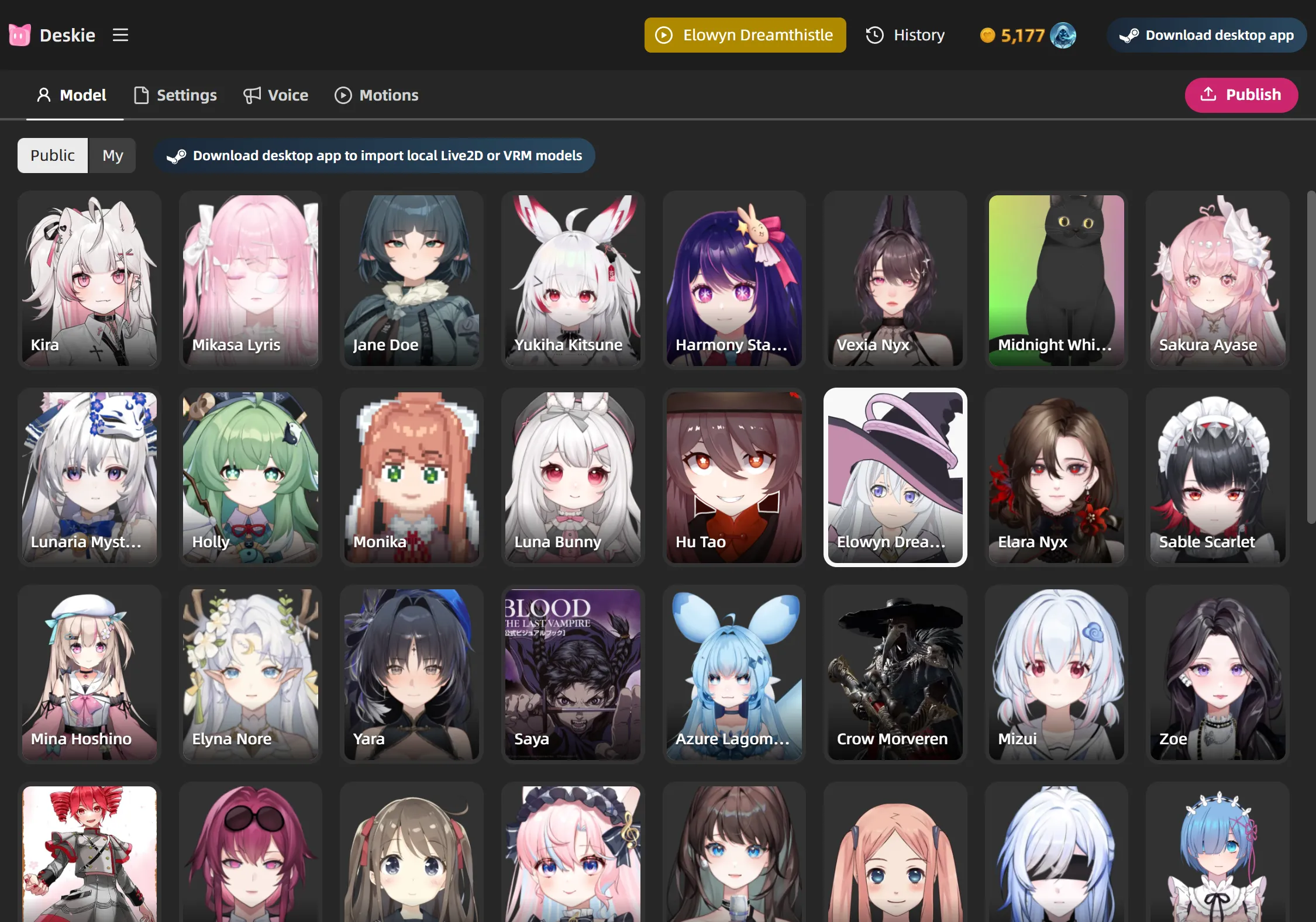
Customizing a character model and motions in Deskie

FAQs

How is Deskie different from Maoxiang for character roleplay and stories?
Maoxiang is designed around a swipeable mobile feed of AI characters where you chat over a full-screen 2D background image using a single platform model. Deskie brings characters to life across desktop, web, and mobile: it supports rigged Live2D, 3D, VRM, and custom image models whose expressions and motions adapt dynamically to your chat, pairs them with hundreds of emotional voices or a free-forever Local Voice Pack, and lets you direct multi-character visual novel stories on stage.
Can Deskie sit on my computer desktop while I work or play games?
Yes. Unlike Maoxiang, which is built primarily as a mobile entertainment feed, Deskie includes a native Desktop Companion Mode for Windows and macOS. Your character floats directly on your desktop with eye tracking, click-through lock, and global push-to-talk shortcuts, and can see your screen, search the live web, check weather/time, set reminders, and launch desktop apps.
Can I switch the underlying AI model and writing style in Deskie?
Yes. Maoxiang locks every character into its default platform language model and narrative tone. In Deskie, you can freely switch the underlying AI model (including Doubao, DeepSeek, OpenAI, Gemini, and Grok), choose from 5 distinct writing styles (Daily Narrative, Gentle Poetic, Literary Imagery, Sensory Details, and Hot-Blooded Chuunibyou), and rewind or branch conversations with Time Machine.
How do Deskie’s voices and free Local Voice Pack compare to Maoxiang?
Both apps offer expressive character voices and voice cloning from a short audio recording. Deskie goes further with selectable Emotion, Emotion+, and Emotion++ voice intensity across hundreds of built-in voices in 6 languages, plus a PC Local Voice Pack DLC that runs speech synthesis on your own hardware so local character voices stay 100% free forever with zero credit cost.
Can I upload my own Live2D or VRM models and create desktop pets or visual novels?
Yes. While Maoxiang limits creators to uploading or generating 2D portraits, Deskie lets you use built-in models or upload your own Live2D (.model3.json), VRM (.vrm), 3D (.gltf/.glb), and custom illustrations from your computer. Beyond characters, you can also generate animated desktop pets from a single prompt and build branching visual-novel stories with adaptive scene backgrounds and background music (BGM).