Voice
Voice changes a conversation from words on a screen into a performance. A fitting voice gives a character warmth, attitude, rhythm, and presence—and makes a desktop companion feel like someone sharing the room with you. On web, desktop, and mobile, supported voices respond to the character and the flow of the conversation, so a playful exchange, a quiet confession, and a dramatic scene do not have to sound the same.
Find a Voice That Fits
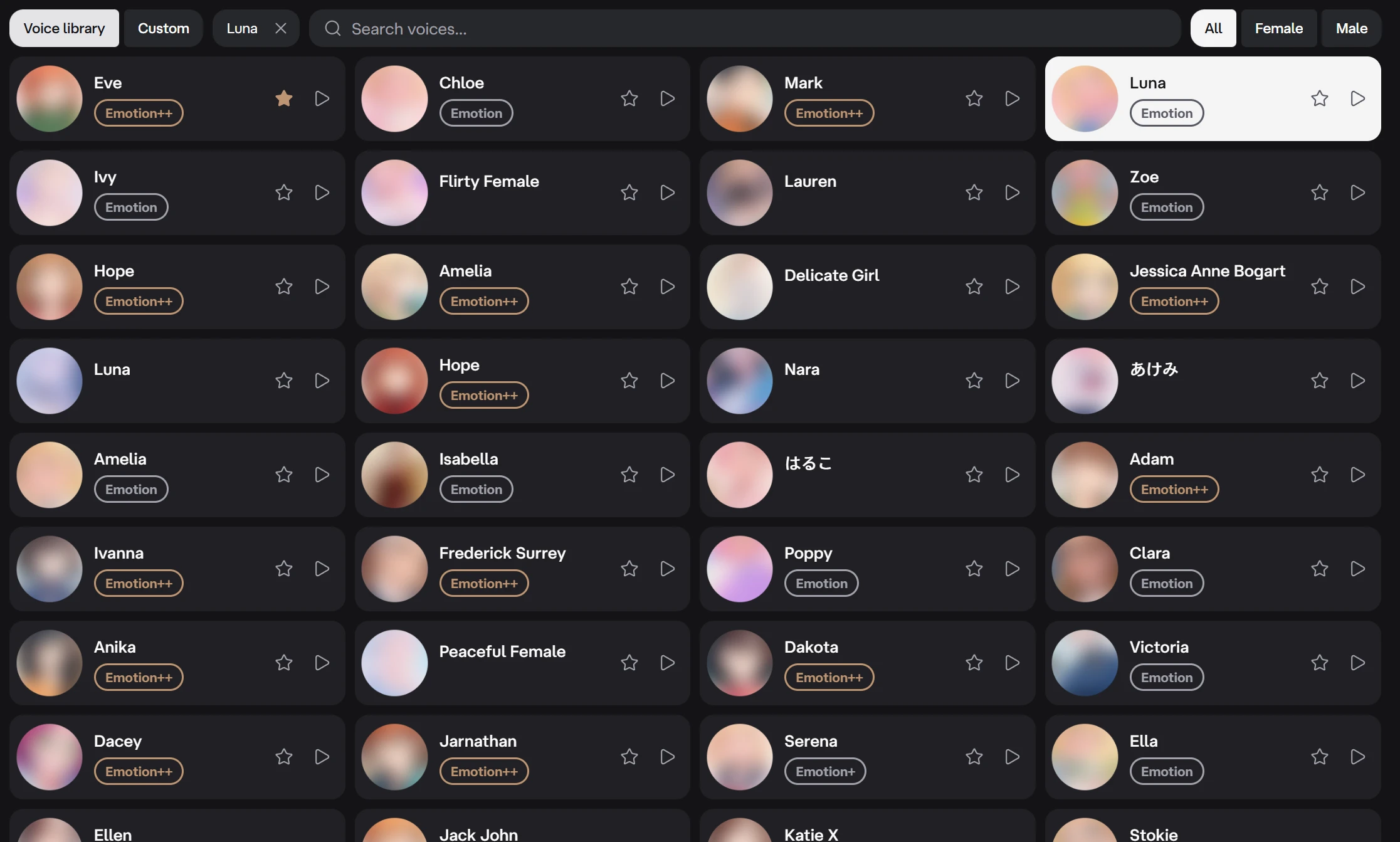
The web and desktop editor offers hundreds of voices across Chinese, English, Russian, Japanese, Korean, and Spanish, with feminine and masculine voices, distinct personalities, and regional accents. A character can use a voice from another language too—useful for a multilingual character, a particular accent, or a companion who helps make another language feel familiar. Preview it first, because pronunciation and accent can carry over between languages.
Open the Voice tab to search by the sound or personality you have in mind, filter by language and gender, and play samples while comparing choices. When a voice feels right, add it to favorites; favorite voices stay with the Deskie account and appear first within the current filters.
The badge beside a voice shows how expressive it can be:
- Emotion adds expressive changes to the delivery.
- Emotion+ offers a wider and more noticeable emotional range.
- Emotion++ is the most responsive level, following the tone and flow of the conversation for performances such as slow, tender speech, dramatic reactions, or intimate ASMR-style delivery.
Create Your Own Voice
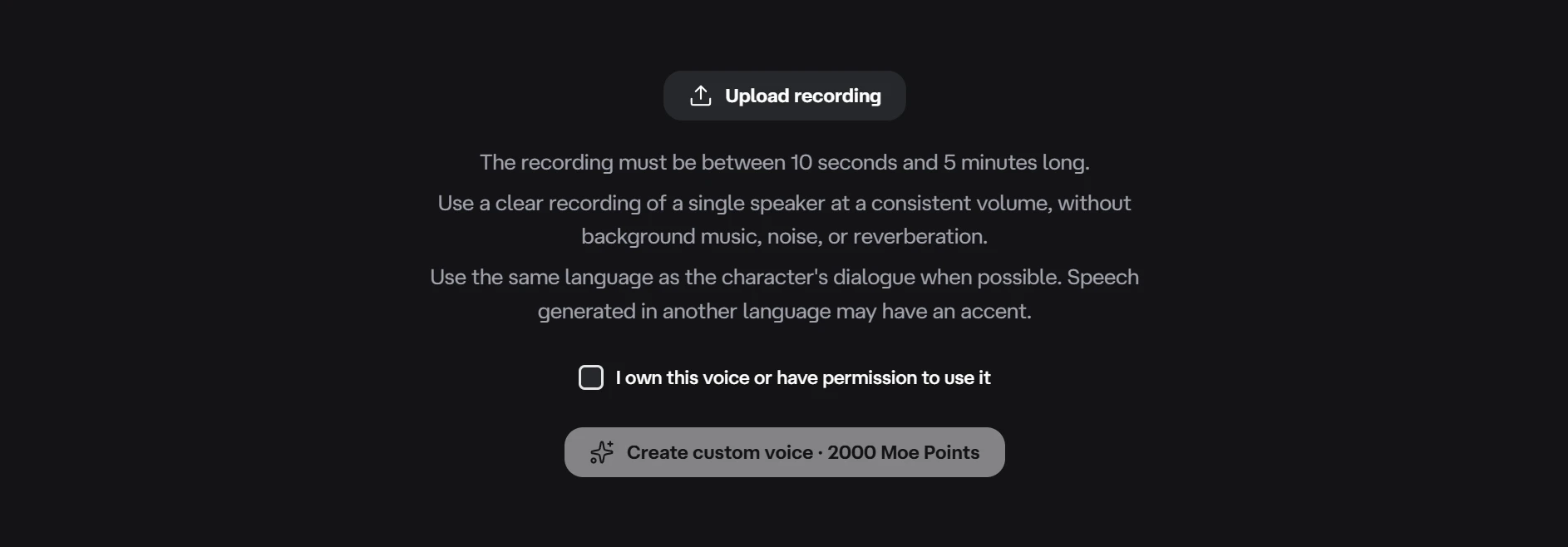
Customize on web and desktop gives a community character or pet a personal voice just for your account. For a more personal sound, the Custom section can create a reusable voice from a recording:
- Choose Upload recording and select an MP3, M4A, or WAV file up to 20 MB.
- Preview it and confirm I own this voice or have permission to use it.
- Choose Create custom voice · 2000 Moe Points.
A clear recording of one speaker works best. Steady volume and little background noise, music, or echo help preserve the qualities of the voice. Recording in the language the voice will usually speak tends to produce more natural pronunciation; another language may introduce an accent.
After successful creation, Deskie saves and selects the voice, creates a sample, and lets it be renamed and reused for other characters. The voice appears under the app language used when it was created. Creation costs 2,000 Moe Points; future online speech from that voice can still use Moe Points.
Listen Your Way
My settings > Character > Play voice controls automatic spoken replies. Turning it off keeps the conversation in text. Voice speed offers Slow, Normal, and Fast for newly generated online speech, while Voice volume controls reply loudness on web and desktop.
On web and desktop, voiced messages in History have Play and Stop actions even when automatic playback is off. This makes it possible to keep everyday chat quiet and replay only the moments worth hearing.
Online speech uses Moe Points separately from the AI reply itself. The Moe Points guide explains usage and lower-cost options.
Speak Locally for Free
The free Deskie Local Voice Pack DLC generates spoken replies on a Windows PC, so the speech itself uses no Moe Points. AI chat still uses the online service and may consume Moe Points.
After Steam installs the DLC, keep Play voice on and enable My settings > Character > Use local voice pack. Settings provides a download link when the pack is missing, then shows when it is starting, ready, or in error. Error details can be copied for troubleshooting.
The pack supports English and Chinese and currently requires a Vulkan-capable graphics card. Local speech can take longer to start, use more computer resources, and sound less expressive than an online voice. Voice speed and online emotion delivery do not apply.