Creative Buddy, DeepSeek V4 & Custom Images - April 24, 2026
💡 Creative Buddy
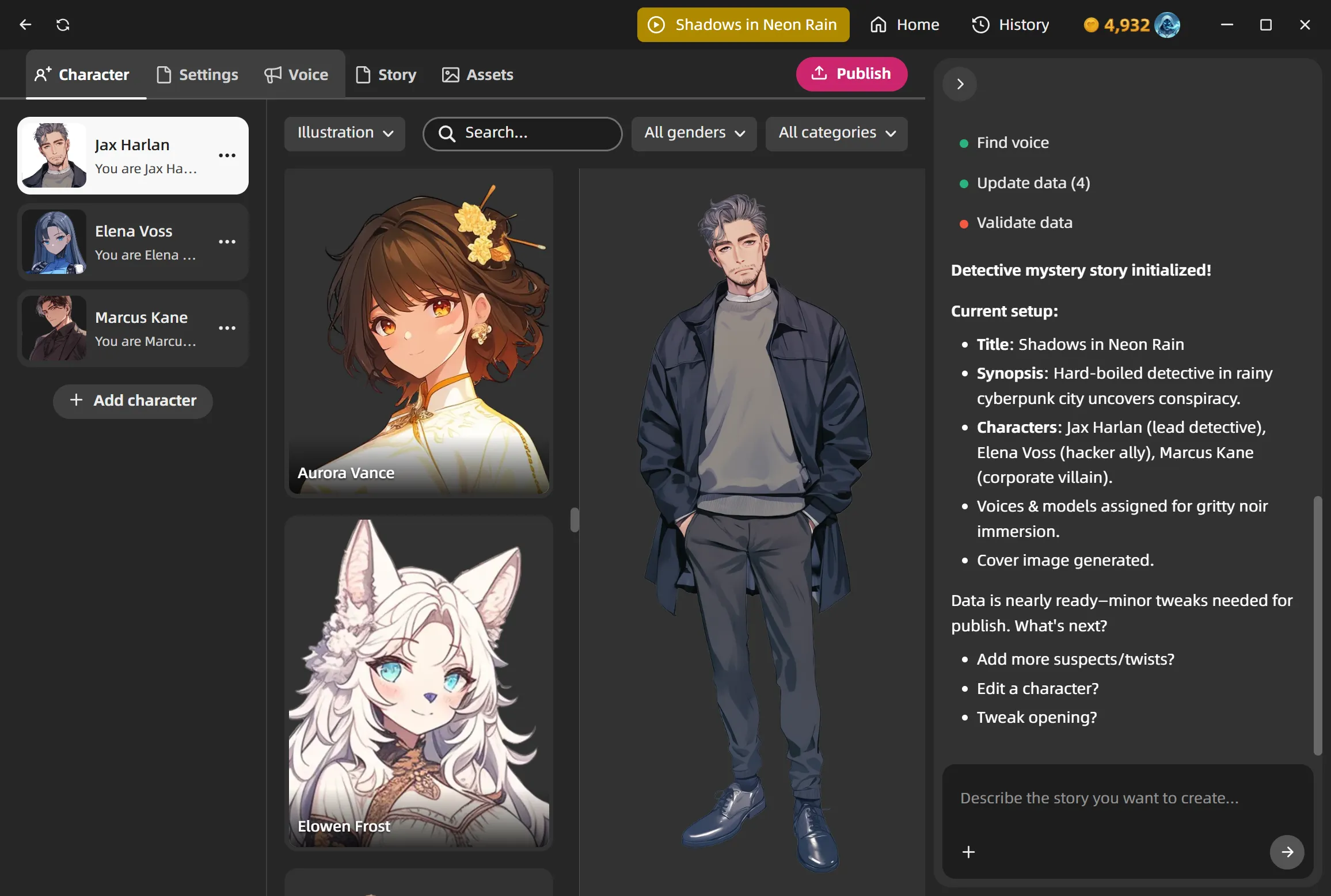
Meet your new creative partner — the Creative Buddy panel is now built right into the character and story editor.
Click the lightbulb icon and describe what you want to create. Your buddy will help you build out the full setup: personality, backstory, voice, model, background, and more. It can search the voice and model libraries for you, generate cover images, and apply changes to your character or story directly — all through a natural conversation.
It's not just a text generator. It asks follow-up questions when your idea needs fleshing out, gives you choices to pick from, and you can revert to any earlier point in the conversation if you change your mind.
Whether you're starting from a vague concept or fine-tuning specific details, having an AI collaborator in the editor makes the whole process way faster and more fun.
🧠 DeepSeek V4 — Smarter & Cheaper
We upgraded from DeepSeek V3 to DeepSeek V4 across the board — chat, stories, memory, everything.
What this means for you:
- Conversations are smarter. V4 is a significant quality jump, especially for nuanced dialogue and complex story scenarios.
- Way longer memory. Context window went from 128K to 1M tokens — your characters can remember much more of what happened earlier in a conversation.
- Costs less. About 50% cheaper on input and 33% cheaper on output. Your points go further without any change on your end.
This is the default model for most users, so you'll notice the difference right away.
🖼️ Custom Images for Story Characters
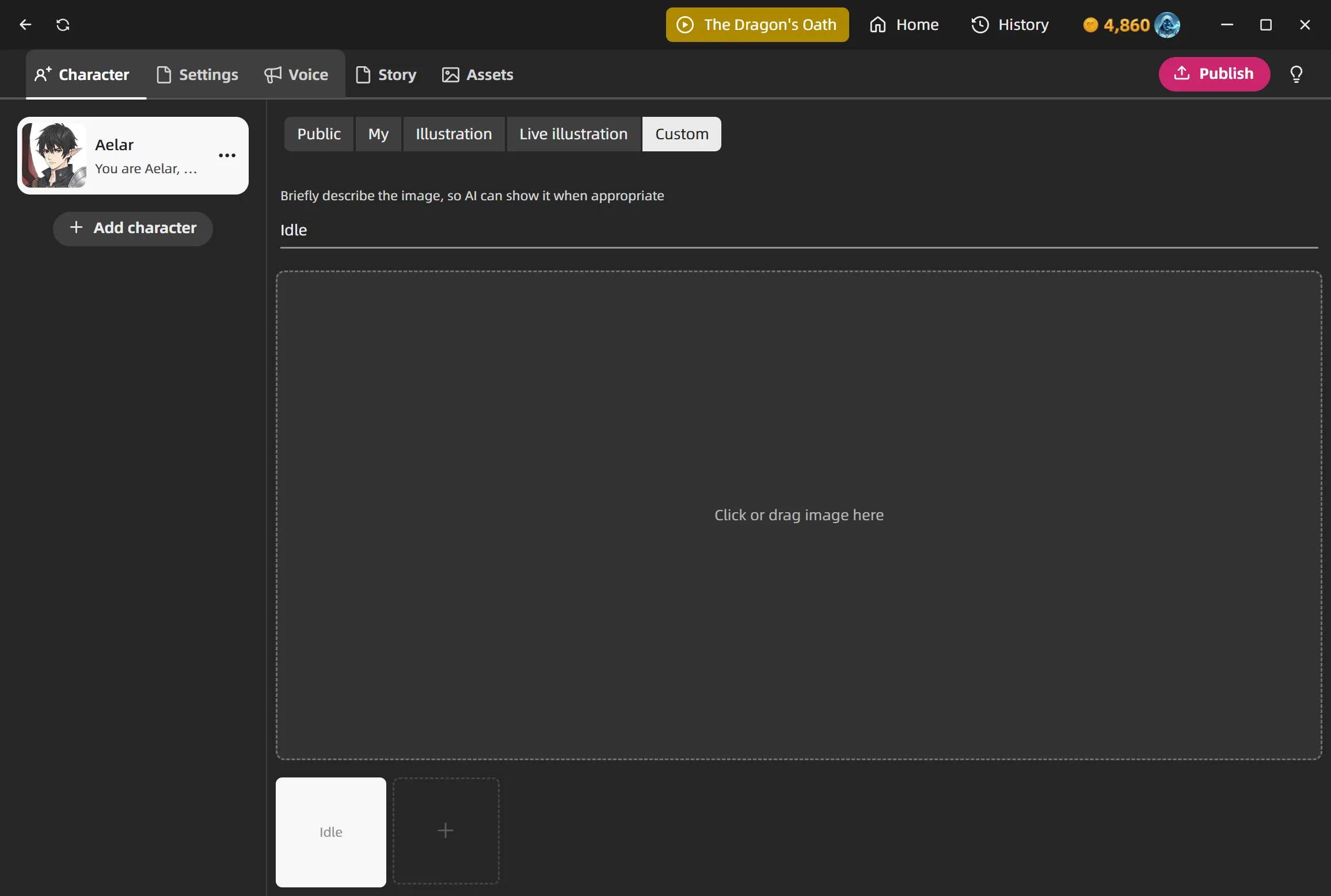
You can now upload your own artwork for story characters instead of only picking from the model library.
In the story editor, each actor has a new Custom Image tab. Add images, give each one a description, and the AI will show the right image at the right moment during the story — like switching expressions or scene illustrations.
You can drag to reposition and scroll to zoom for the perfect framing.
⚡ Desktop Companion Got Faster
The desktop companion got a serious performance overhaul.
Rendering is about 27% faster, memory usage dropped dramatically, and CPU-heavy garbage collection went from ~1300ms down to ~57ms. If your companion felt laggy or your fans were spinning up, this should be a big improvement.
🎨 Redesigned Imagine UI
The image generation dialog got a fresh layout. You can scroll through everything you've generated before, click to reuse a past prompt, or pick an old result to use again.
🐛 Bug Fixes & Polish
Various fixes and improvements across the app — smoother interactions, faster loading, and better stability overall.