Create a Story
Stories are interactive visual novels with multiple characters, backgrounds, music, player choices, and trackable attributes like affinity or trust. You can generate one from a single idea or build it piece by piece.
Click Create on the homepage and choose Story.
Start from an Idea
Type a concept — "a mystery aboard a space station with a suspicious crew" — and click Create. The AI generates everything: title, description, world background, characters with matched models and voices, and an opening line. You get a complete, playable story in seconds.
You can edit everything after generation — characters, settings, and assets are all fully customizable. Or click Skip to start with an empty story and build from scratch.
Add Characters
The Characters tab manages your cast. Add characters and configure each one's personality, voice, and model — just like creating a standalone character. Story characters support additional model types beyond Live2D and 3D: Illustration, Live Illustration, and Custom.
Pick from the Illustration Library
The illustration library offers a wide range of character art across categories — Fantasy, Hanfu, Kemomimi, Steampunk, Monster, Cosplay, Casual, and more. Filter by gender and category to narrow the selection, or use semantic search to describe what you're looking for ("girl in armor", "mysterious old man") and find a match instantly.
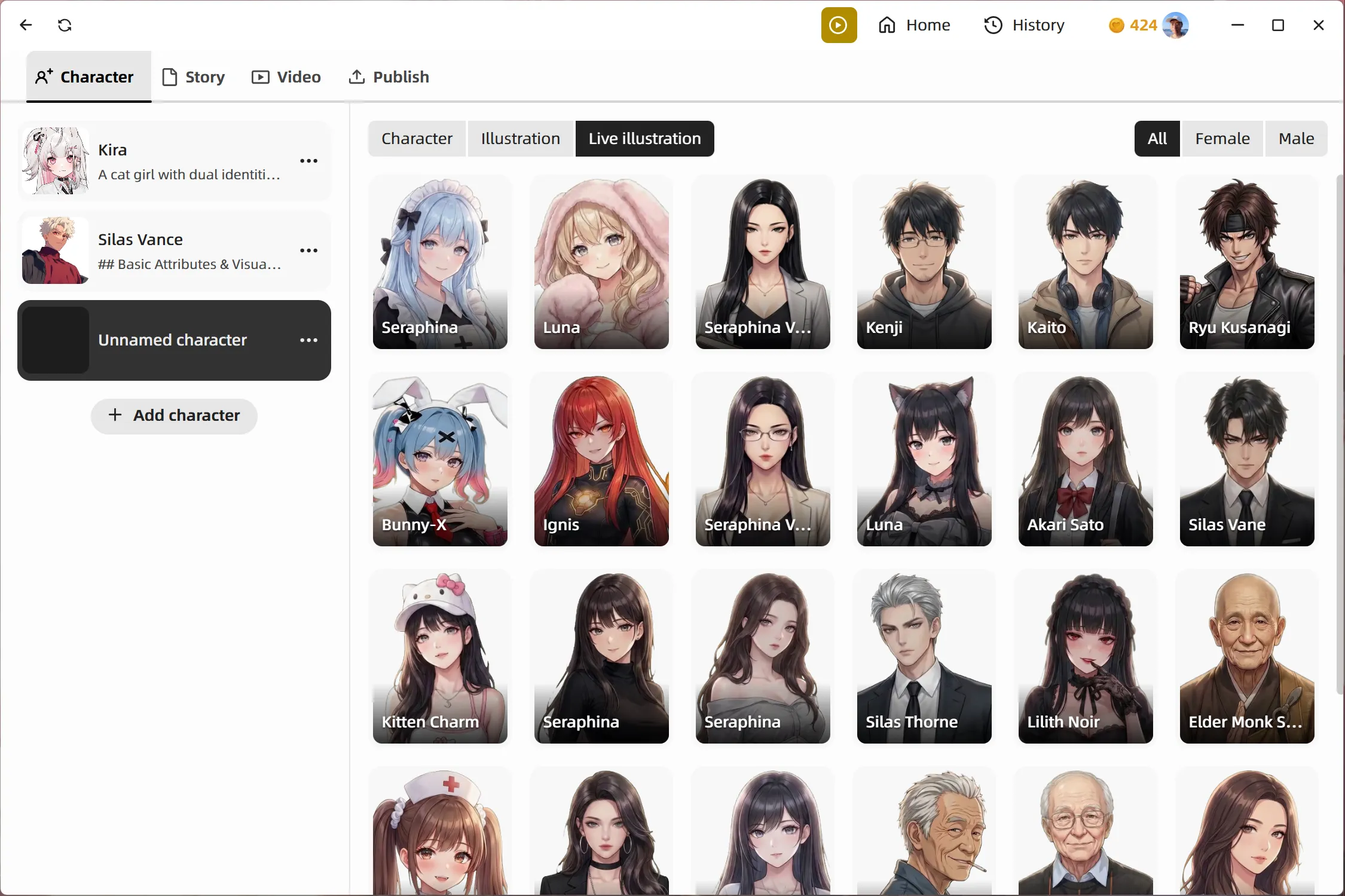
Illustration gives you static character art — the classic visual novel look. Live Illustration adds subtle motion to bring the art to life.
Upload Custom Images
For full visual control, choose Custom and upload your own character images. Each character can have multiple image states — idle, happy, angry, shy — and the AI switches between them based on the conversation.
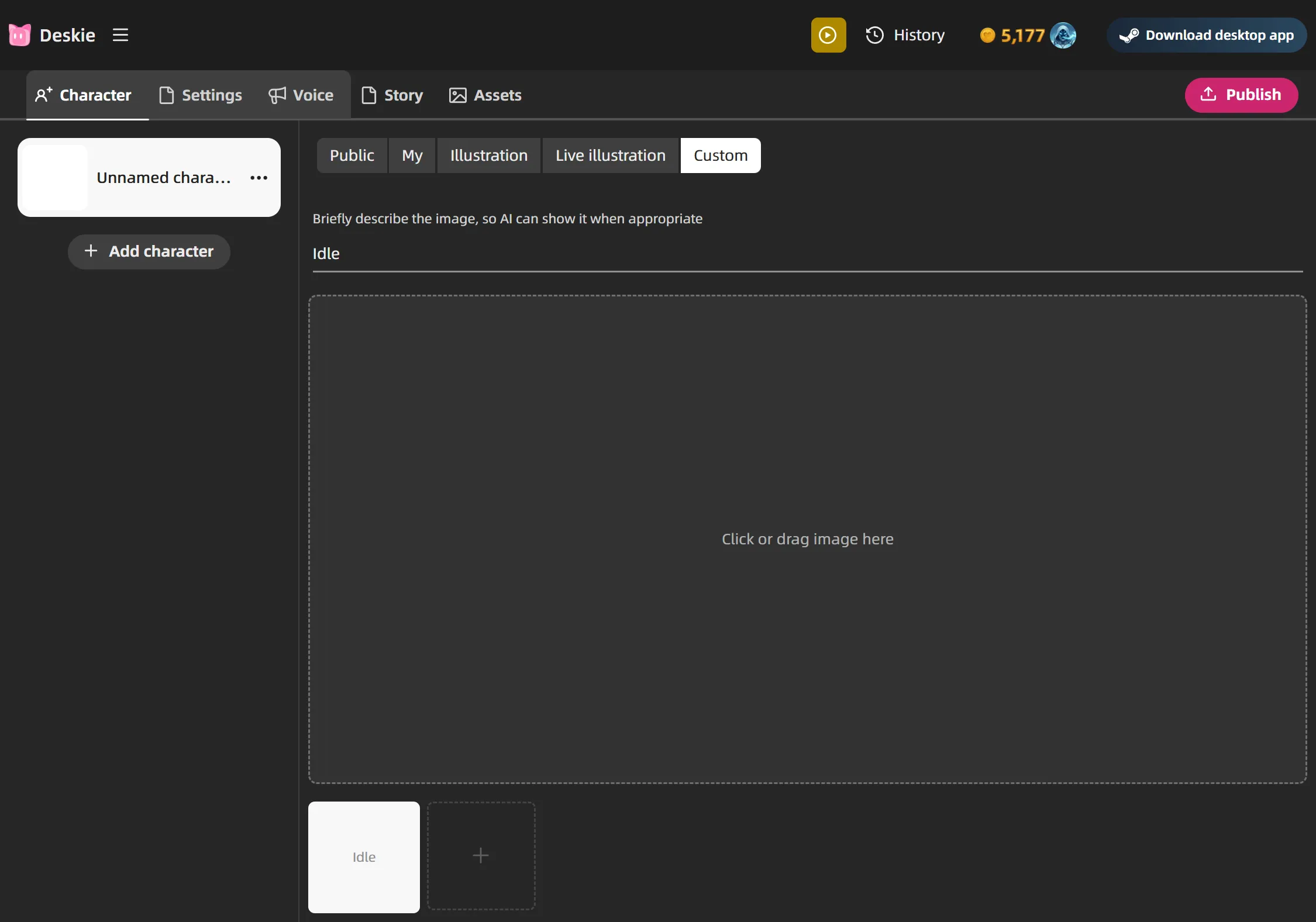
Give each image a short, descriptive name. Emotions like "smile", "blush", or "shocked" work, but you can get more creative — "school uniform", "battle armor", "rain-soaked", or "wounded" let the AI switch outfits and visual states to match the scene. The AI reads these names and picks the right image for each moment, so clear names lead to better visual storytelling.
For best results, use images with a transparent background and consistent framing. Full-body or upper-body shots both work — just stay consistent within one character. Drag to reposition and scroll to scale so each character sits right in the scene.
Each character acts independently in the story. Their personality prompt controls how they speak and behave, while the story background gives them shared context about the world they live in.
Define the Story
The Story tab defines the narrative foundation:
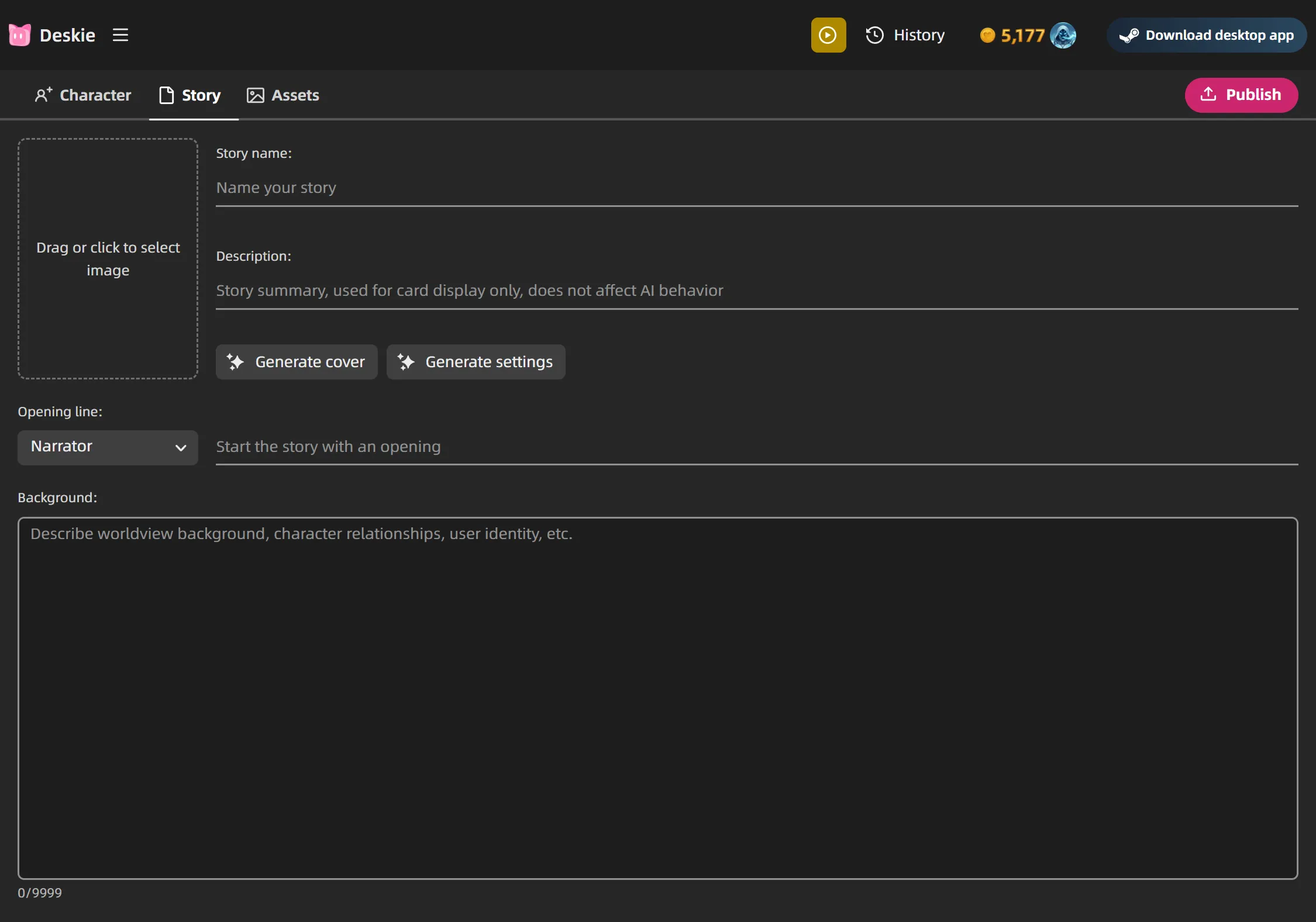
- Cover — the image shown on the story card. Use Generate Cover to create one with AI
- Name and Description — shown on the story card
- Opening Line — the first thing players see. Choose who delivers it: a specific character or the Narrator
- Background — the most important field. Describe the world, the setting, character relationships, the player's role, and narrative mechanics. The AI uses this to drive every scene. Here's what makes a good one:
Set the world and its rules. Don't just name a place — define how it works. "A cyberpunk city where corporations own memories and black-market dealers sell stolen ones in back alleys" gives the AI a world to inhabit. Include the time period, social dynamics, and any constraints that make the setting feel real.
Describe where scenes take place and what they feel like. The AI picks background art and music to match each moment — but it can only do that if you give it places and vibes to work with. "A rain-soaked rooftop overlooking neon signs" or "a quiet library after hours with creaking floorboards" gives the AI something concrete to set the scene with. The more specific your locations and atmosphere, the better the visuals and soundtrack land.
Define the player's role and stakes. Who is the player in this world, and what do they stand to gain or lose? "You're a new transfer student hiding a secret that could get you expelled — or make you the most popular kid in school" is far more useful than "the player is a student." Stakes create tension.
Give it a dramatic engine. What keeps the story moving? Relationship stats that shift with every choice? A mystery with clues scattered across scenes? A countdown to an event? The AI needs something to push toward — otherwise conversations meander without purpose.
Layer in contradictions and secrets. The best stories have tension beneath the surface. "The friendly shopkeeper is actually the final boss" or "the player's ally is feeding information to the enemy" gives the AI material for reveals and betrayals that feel earned.
Describe tone, not just plot. Is this a slow-burn romance? A horror story that starts cozy? A comedy that gets unexpectedly dark? Tone tells the AI how to write, not just what to write. "Lighthearted banter that gradually gives way to real emotional stakes" shapes every line of dialogue.
Include subplots and hidden threads. Side characters with their own agendas, environmental details that pay off later, recurring motifs — these make the world feel layered. The AI will weave them in when the moment is right.
Define how the story ends. Stories reach real endings when the narrative concludes, and every playthrough can go differently. Tell the AI what triggers an ending — "the story ends when the player confesses or gets rejected", "the murder is solved or the killer escapes", or "the kingdom falls or the rebellion succeeds." Multiple ending conditions create replayability and make choices feel like they matter.
Add Assets
Stories come with a large built-in library of backgrounds and music spanning many genres and settings — and it's growing constantly. The AI draws from this library automatically, so most stories work great without uploading anything.
If you want more control or need something specific that doesn't exist in the library, the Assets tab lets you add your own:
- Background images — scene art that the AI selects to match the current setting
- Music — tracks that the AI plays to match the mood
- Opening video — a cut-scene that plays before the story begins
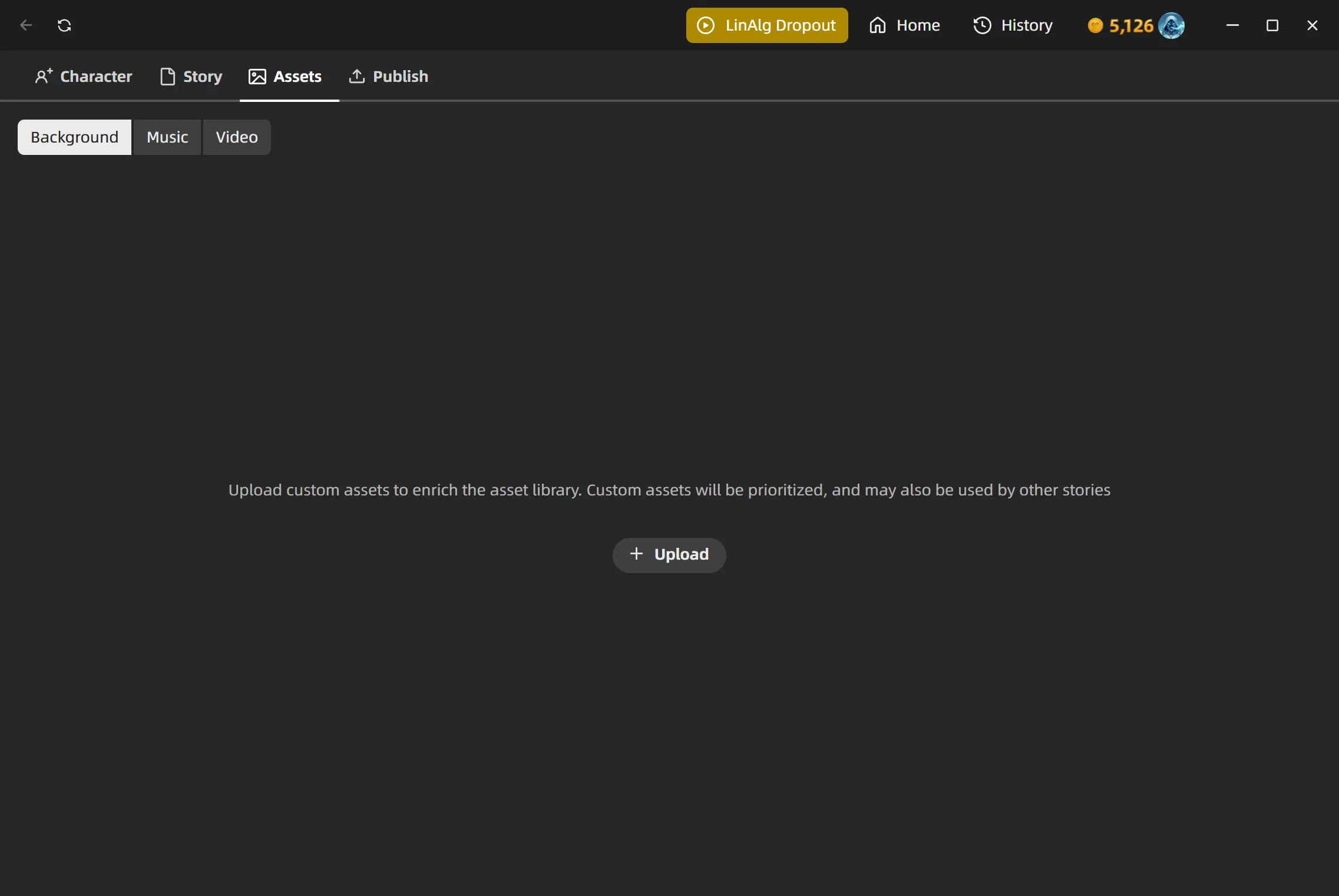
Your uploads take priority over the defaults, so custom assets will be used first when they fit the scene.